
Plume: a word processor for the C64, written from scratch
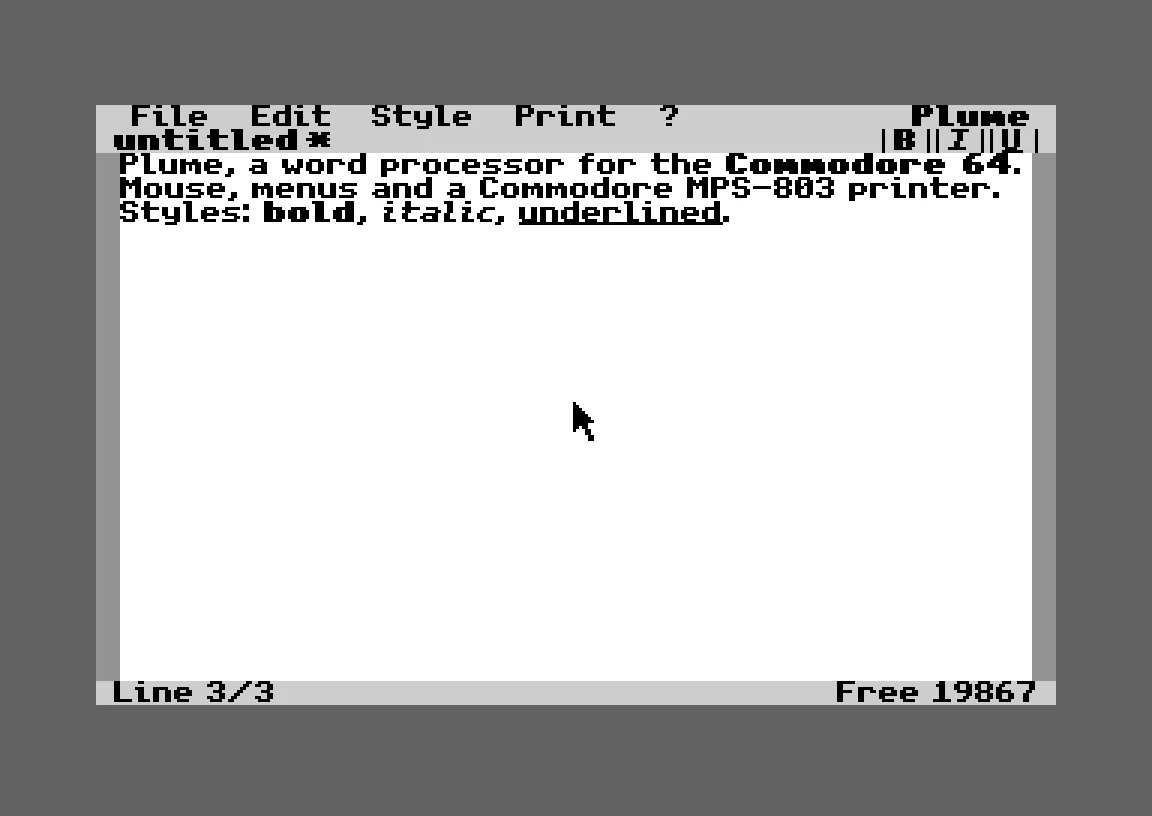
Mouse, menus, bold, italic, underline, French accents and printing on a Commodore MPS-803. Open source, MIT licensed, on a cartridge.
My last two projects put GEOS and geoWrite on a single cartridge, one in French and one in English. Shortly after I shared them, a group moderator left a friendly reminder: you do get a copy of GEOS with the C64 Ultimate, but GEOS is still commercial software, and owning a copy does not mean you can redistribute it.
Fair point. So I decided to keep everything I loved about that project (the mouse, the WYSIWYG screen, my old MPS-803) and drop the one thing I could not legally share: other people's code. The result is Plume, a word processor written from the first line for the Commodore 64. No GEOS inside, no geoWrite, no borrowed source. Everything in it can be shared freely.
What Plume does
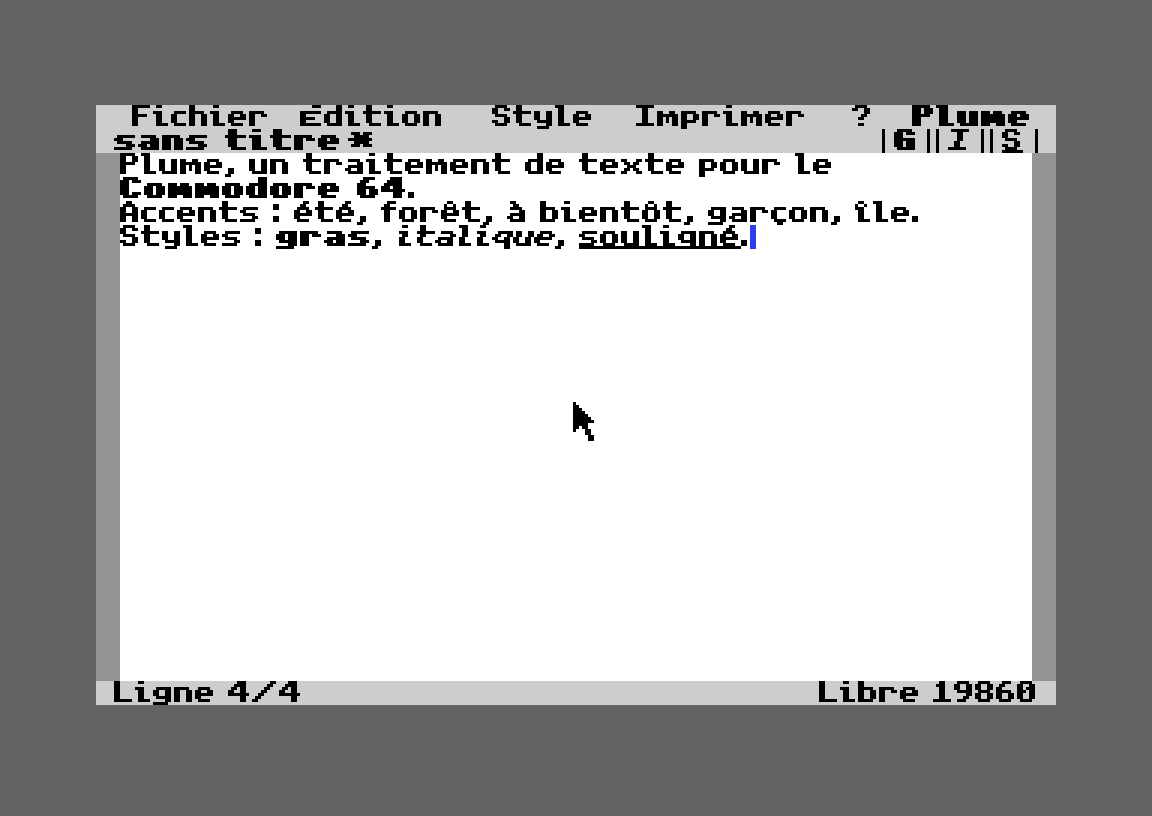
A graphical screen in the spirit of GEOS, with a proportional font: what you see is what you print.
A 1351 mouse on port 1 (a USB mouse on the C64 Ultimate), pull-down menus and dialog boxes.
Bold, italic and underline, while typing or applied to a selection.
French accents on screen, in your text and on paper.
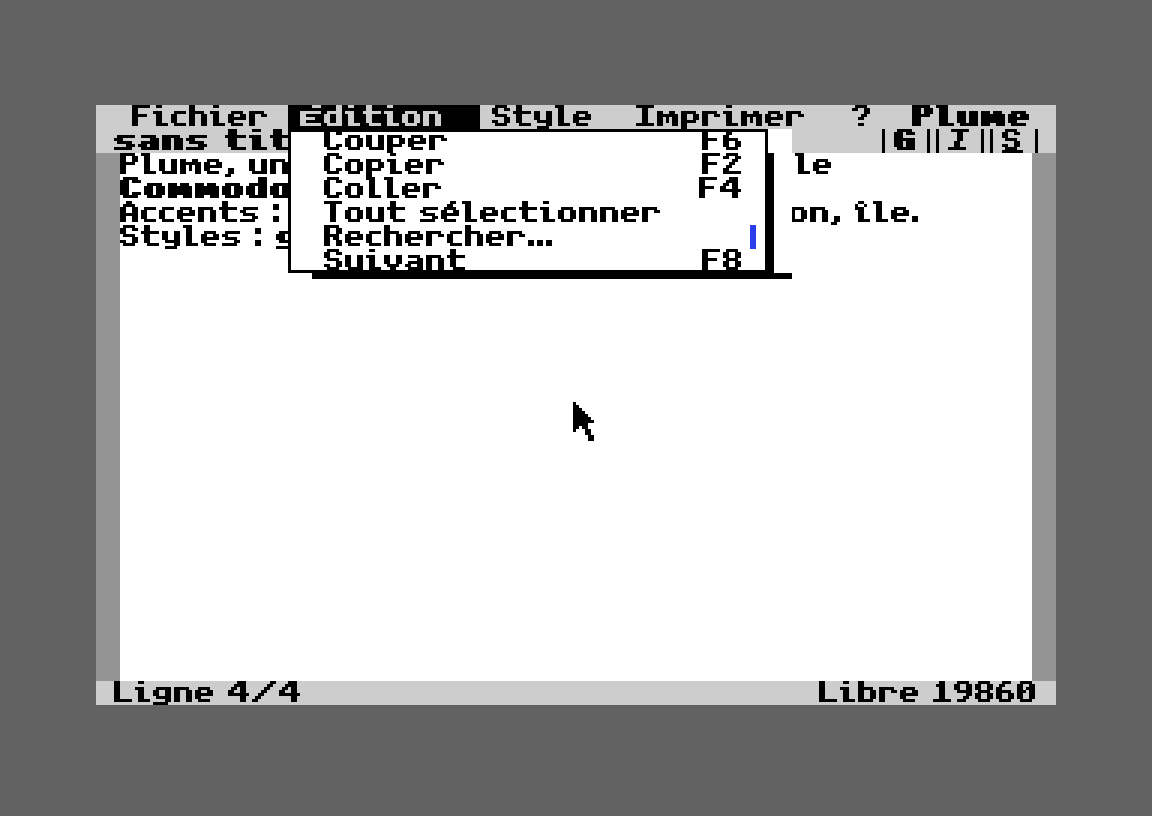
Selection with the mouse, cut, copy, paste and find.
Documents of up to 20,000 characters, about eight pages, saved on drive 8.
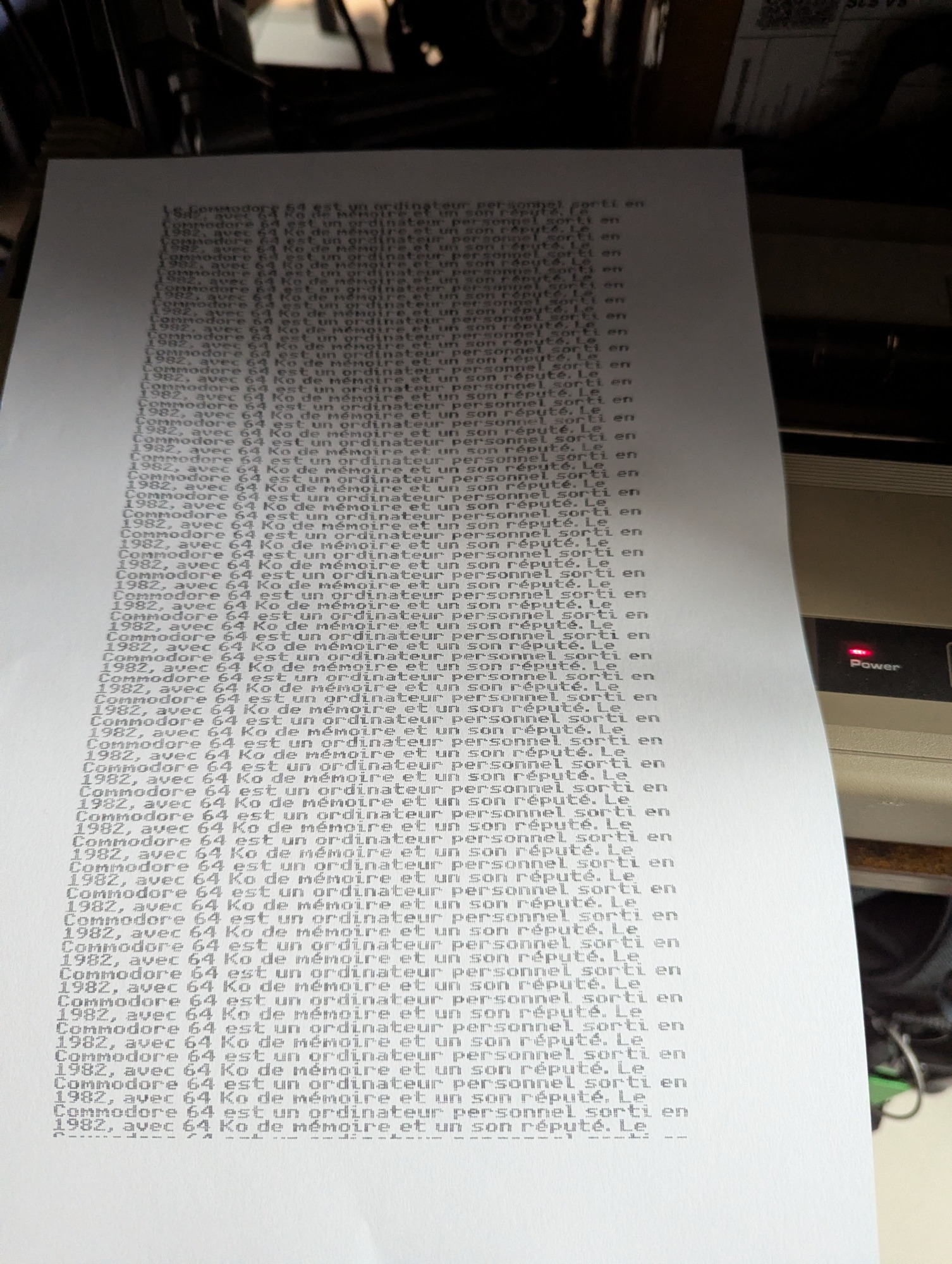
Printing on a Commodore MPS-803 or MPS-801 with 3 cm margins on A4, in three modes: graphics (exactly what is on screen, accents included), text (the printer's own characters, faster) and wide text.
Short notes stay short: the paper stops right after the last line so you can tear it off.
It comes in two editions, French and English, each on an EasyFlash cartridge that boots straight into the editor.
Why the MIT license
I wanted the opposite of the situation I had just been in: something anyone can copy, change and pass on without asking. The MIT license says exactly that, in a few lines. You can use Plume, modify it, put it in your own projects or sell a cartridge with it, as long as you keep the copyright notice.
The other building blocks fit with that. The font is unscii by viznut, which is in the public domain. I made it proportional and redrew the French accents, because unscii draws the acute and grave accents flat. The cc65 runtime library linked into the program is under the permissive zlib license.
64 KB is not much
Writing a GEOS-style editor from scratch on a machine with 64 KB of RAM is mostly a story about memory.
The graphical screen takes 8 KB, hidden under the KERNAL ROM. The program itself takes about 21 KB. The first version stored two bytes per character (one for the letter, one for its style), which capped documents at 11,000 characters. Version 1.2 stores the style as small invisible markers placed only where the style changes, the way geoWrite does. A plain letter now costs one byte, and documents can reach 20,000 characters.
To make room, I tucked tables into every corner the C64 leaves free: the line table above the program, the clipboard and the layout workspace in the RAM hidden under the I/O chips, a few strings in the unused cassette buffer. As I write this, there are exactly 22 bytes left.
Making it fast enough at 1 MHz
My C64 Ultimate can run at 64 MHz, where everything is instant, so I tested at the real 1 MHz. With a document of 19,400 characters, making the whole text bold first took 60 seconds. Profiling in the VICE emulator showed where the time went, and I rewrote the hot spots: line breaking and character drawing in 6502 assembly, the style rewrite in a single pass, and scrolling that moves the screen image instead of redrawing it.
At 1 MHz, 19,400-character document | Before | After |
|---|---|---|
Typing one key | 0.64 s | 0.23 s |
Bold on the whole document | 60.5 s | 13.7 s |
Select all | 6.4 s | 3.0 s |
How it was tested
Every build ran on my real Commodore 64 Ultimate, driven from my Mac through the Ultimate's network API. A small test hook lets a script send key presses and mouse clicks, read the document back from memory byte by byte, and capture the screen. That is how I checked, for example, that deleting a letter at the border between a bold and a plain word leaves exactly the right style markers behind.
I wrote Plume with Claude Code, Anthropic's AI coding assistant, in VS Code. My part was deciding what Plume should be, testing it with the real mouse and printer, and choosing what to fix next.
Setup | Status |
|---|---|
Commodore 64 Ultimate, at 1 MHz and 64 MHz, with a real MPS-803 | Tested |
VICE 3.10 | Tested |
Original C64 with a flash cartridge | Tested |
Plume uses the C64's own disk and printer routines, so it should also work with the disk emulation of flash cartridges like Kung Fu Flash. I have not checked yet.
Get it
Everything is on GitHub: github.com/labbej27/plume64. The dist folder has both cartridges (plume-fr.crt, plume-en.crt) and an empty disk for your documents. If you build something on top of it, or try it on an original C64, I would love to hear about it.
plume fr.crt
plume en.crt
plume dk.crt
plume hu.crt
Edit, November 8, 2026: Plume 2.0, now with joystick support
I tried Plume on an original C64 with a Kung Fu Flash 2. The cartridge started and worked fine, but I only had joysticks there, no 1351 mouse, so I couldn't move the pointer.
Version 2.0 fixes that. A joystick in port 2 (or port 1) now moves the pointer: one pixel per frame for precise aiming, then faster while you hold it. Fire clicks; hold fire while moving to select text. The mouse works exactly as before, so the same cartridge runs on a C64 Ultimate and on an original C64.
Port 1 shares its wires with the keyboard, so a joystick there sends phantom keys like DEL or RETURN. Plume ignores the keyboard while that joystick is moving.
Finding room was the hard part: only 22 bytes were left. I cut the C stack from 1 KB to 512 bytes, after checking on my C64 Ultimate that Plume never uses more than 96. Documents still go up to 20,000 characters.
The new cartridges are on GitHub, and the downloads below are updated. If you try the joystick on your own machine, please tell me how it feels!
Edit, November 10, 2026: Plume now has an online editor
Typing a long text on the C64 keyboard isn't for everyone, so Plume now has a companion page: labbej.eu/plume. Write in your browser with bold, italic and underline, paste from Word, or open a .txt, Markdown or Word file. Then download a .d64 disk, open it in Plume and print it on the MPS-803. Everything happens in your browser: your text is not sent anywhere.
Edit, November 10, 2026: Plume 2.1 speaks Danish
After a suggestion from Ulrik Hansen on Facebook, Plume 2.1 adds the Danish letters æ, ø and å, and their capitals Æ, Ø and Å, to every edition. They show on screen, come through the online editor and print in Graphics mode.
There is also a new Danish edition, plume-dk.crt, with English menus and a Danish keyboard: : ; @ type æ ø å, and Shift gives Æ Ø Å. : and ; move to Shift + . and Shift + ,, like on a Danish PC keyboard, and @ moves to C= + @.
It has been tested in the VICE emulator so far. If you are a Danish C64 user, I'd love to hear how it feels!
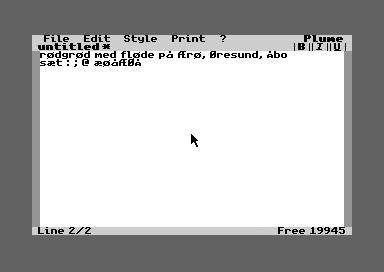
Edit, November 13, 2026: Plume 2.2 speaks Hungarian
mkckOner, a Hungarian C64 user, sent me a patch that adds a Hungarian edition to Plume. Thank you! Plume 2.2 includes it as written: á, é, í, ó, ö, ő, ú, ü and ű, and their capitals, show on screen, print in Graphics mode and come through the online editor. mkckOner also redrew ö, ü, Ü and É, which now look better in every edition.
The new Hungarian edition, plume-hu.crt, has English menus and a Hungarian keyboard layer on C=, following the AltGr keys of the Hungarian Programmers layout: C= + E Y U I give é ü ú í, C= + O P Q W give ó ö ő ű, and C= + A gives á. Hold Shift as well for the capitals.
mkckOner also asked for an underscore, so every edition now types _ with C= + -.
It has been tested in the VICE emulator so far, on screen and on the emulated MPS-803. If you are a Hungarian C64 user, I'd love to hear how it feels!
Download: github.com/labbej27/plume64
More about how it works in Plume online: write on your computer, print on the Commodore 64.