
geoWrite on a single cartridge
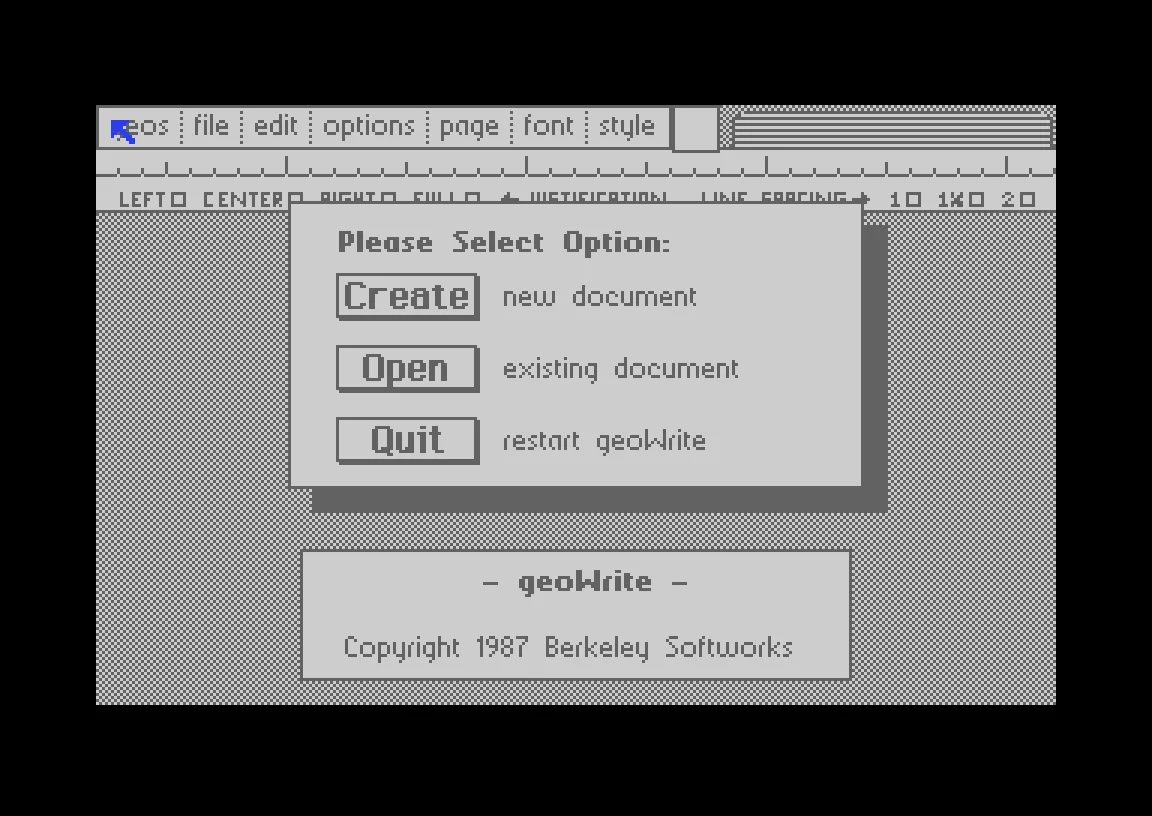
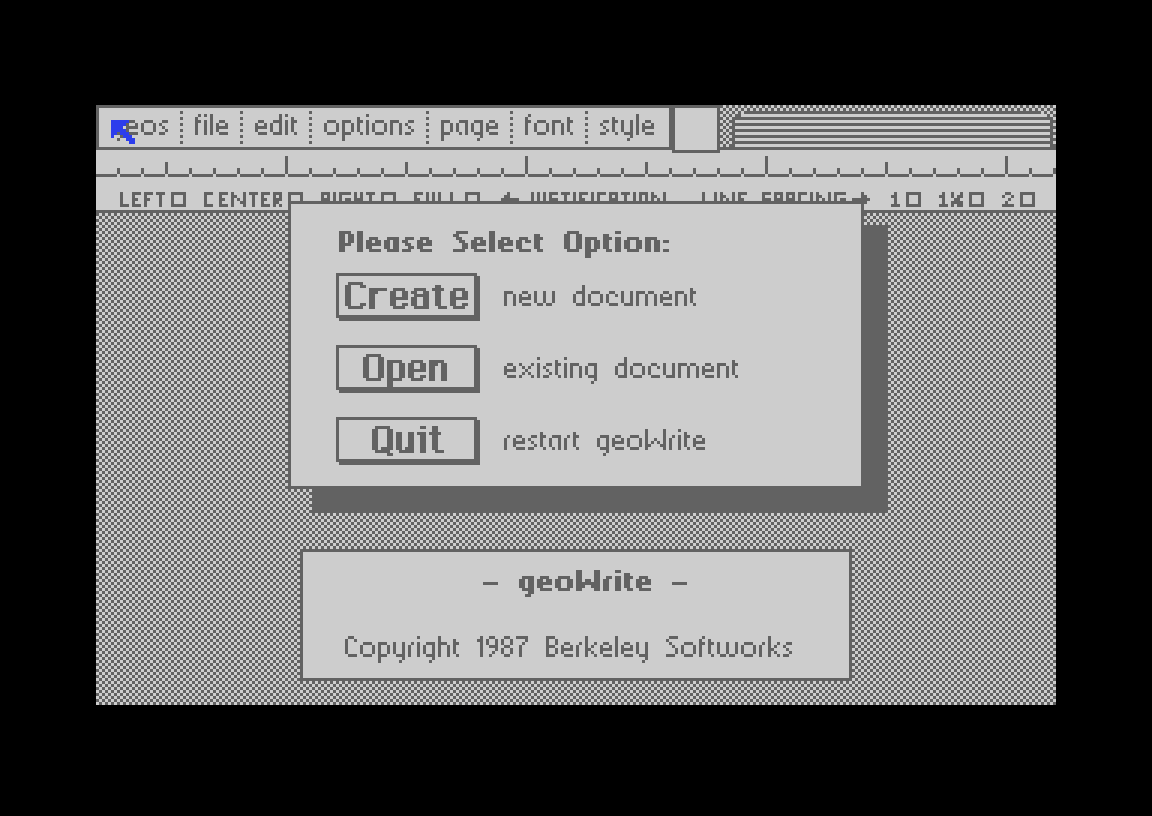
GEOS and geoWrite 2.1 in one EasyFlash file for the Commodore 64, with a 1351 mouse and a Commodore MPS-803 printer driver built in.
GEOS is a lovely system, but starting it on a C64 means a boot disk, the deskTop, and then the application. I wanted to sit down at my Commodore 64 Ultimate, start one file and be writing straight away, with my old MPS-803 printer ready next to it. So I put geoWrite on a cartridge.
What you get
geoWrite 2.1 starts straight from one EasyFlash
.crtfile. No GEOS boot disk, no deskTop, no installation.geoWrite's original English texts and font, untouched.
1351 mouse on port 1. On the C64 Ultimate a USB mouse works too, because the Ultimate presents it as a 1351.
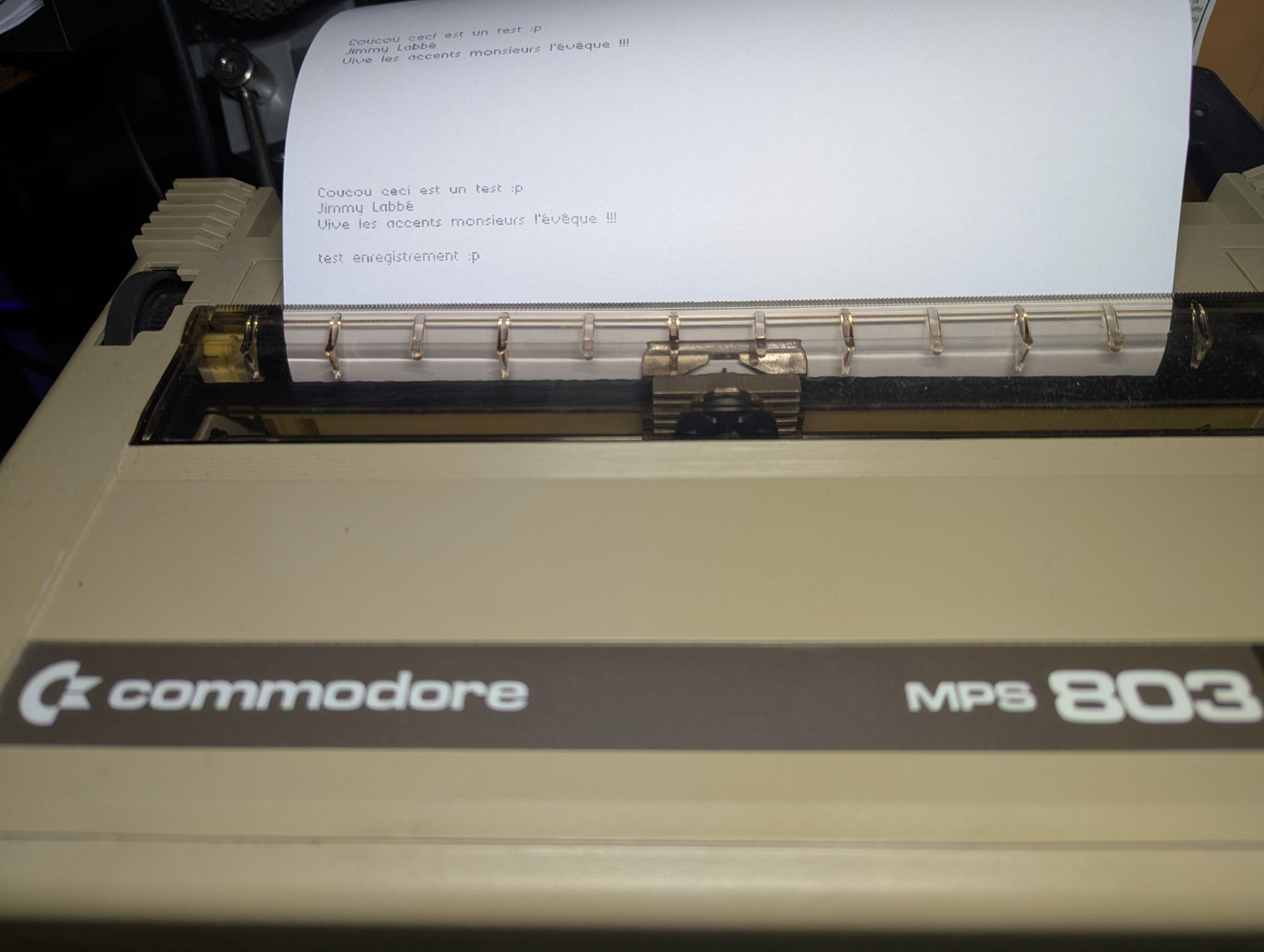
A Commodore MPS-803 / MPS-801 printer driver in graphics mode. Fonts, styles and pictures print the way they look on screen.
Short notes stay short. After the last line, the paper advances just enough to reach the tear-off edge, instead of feeding a whole page. Documents with several pages still get proper page breaks.
Your documents stay on drive 8, on a real 1541 or a mounted GEOS-formatted
.d64. They are ordinary geoWrite 2.1 files.
Download link:
geowrite en.crt
Using it
Put
geowrite-en.crton your SD card or flash cartridge.Mount a GEOS-formatted
.d64on drive 8 for your documents, or insert a GEOS disk in a real 1541.Start the cartridge.
If drive 8 is empty, geoWrite asks you to insert a disk with your GEOS documents. Quit restarts geoWrite, since there is no deskTop to return to.
Printing on an MPS-803
Connect the printer to the serial bus as device 4, then use file → print. Choose High for graphics printing, which is the mode I tested on paper.
GEOS gives a printer driver 8 rows of pixels at a time, but the MPS-803 head has only 7 pins. The driver keeps the leftover rows in a buffer and prints in passes of 7, 480 dots per line, 9 passes per inch. At the end of a page it only advances a few passes, and it adds the rest of the page feed only when another page follows. That is what makes a two-line note come out as a short strip of paper.
How it starts without a disk
geoWrite loads its program code from disk in pieces while you work, so the cartridge cannot just copy the program into memory. Instead, the 1541 disk driver now knows about a track 36 that does not exist on a real disk. When GEOS asks for a sector on that track, the driver reads it from the cartridge. geoWrite and the printer driver are stored there as ordinary GEOS files, and their directory is appended to the directory of the disk in drive 8. As far as geoWrite knows, it is still loading from a floppy, so the application itself barely changed.
Where it has been tested
Setup | Status |
|---|---|
Commodore 64 Ultimate, firmware 1.1.0 | Starts, opens documents, prints |
VICE 3.10 with EasyFlash, true drive emulation and an emulated MPS-803 | Full test: create, save, print, restart |
Original C64 with Kung Fu Flash 2 | Not tested yet |
On an original C64 you will need a real 1351 mouse (or an adapter) and a real 1541 for your documents. GEOS talks to the drive directly, and the disk emulation in Kung Fu Flash does not support that. If you try it on other hardware, I would love to hear how it goes.
Source and credits
Everything is on GitHub: github.com/labbej27/geowrite-en. make geowrite fetches the reverse-engineered sources at a fixed version, applies the patches and rebuilds the cartridge byte for byte.
None of this would exist without Michael Steil and Maciej Witkowiak, who turned GEOS 2.0 and geoWrite 2.1 back into readable source code (mist64/geos, mist64/geowrite). GEOS and geoWrite were created by Berkeley Softworks, and geoWrite was written by Tony Requist. They remain their work, and this is a non-commercial hobby project.
I built it with Claude Code, Anthropic's AI coding assistant, testing every step in VICE and on my own machine.
Edit, November 8, 2026: a joystick version
No 1351 mouse? There is now a second cartridge, geowrite-en-joystick.crt, for a joystick in port 1 or port 2. The pointer starts slowly and speeds up while you hold the stick; fire clicks. It is GEOS's own joystick driver, changed to read port 2 as well, and still the same 378 bytes. The mouse cartridge has not changed.
geowrite en joystick.crt
One limit remains: geoWrite needs a real drive for your documents, a 1541 or a Pi1541. A Kung Fu Flash on its own cannot emulate the drive for GEOS. For that setup, try Plume, my word processor written from scratch, which works with a Kung Fu Flash and a joystick.