
geoWrite, in French, from a single cartridge
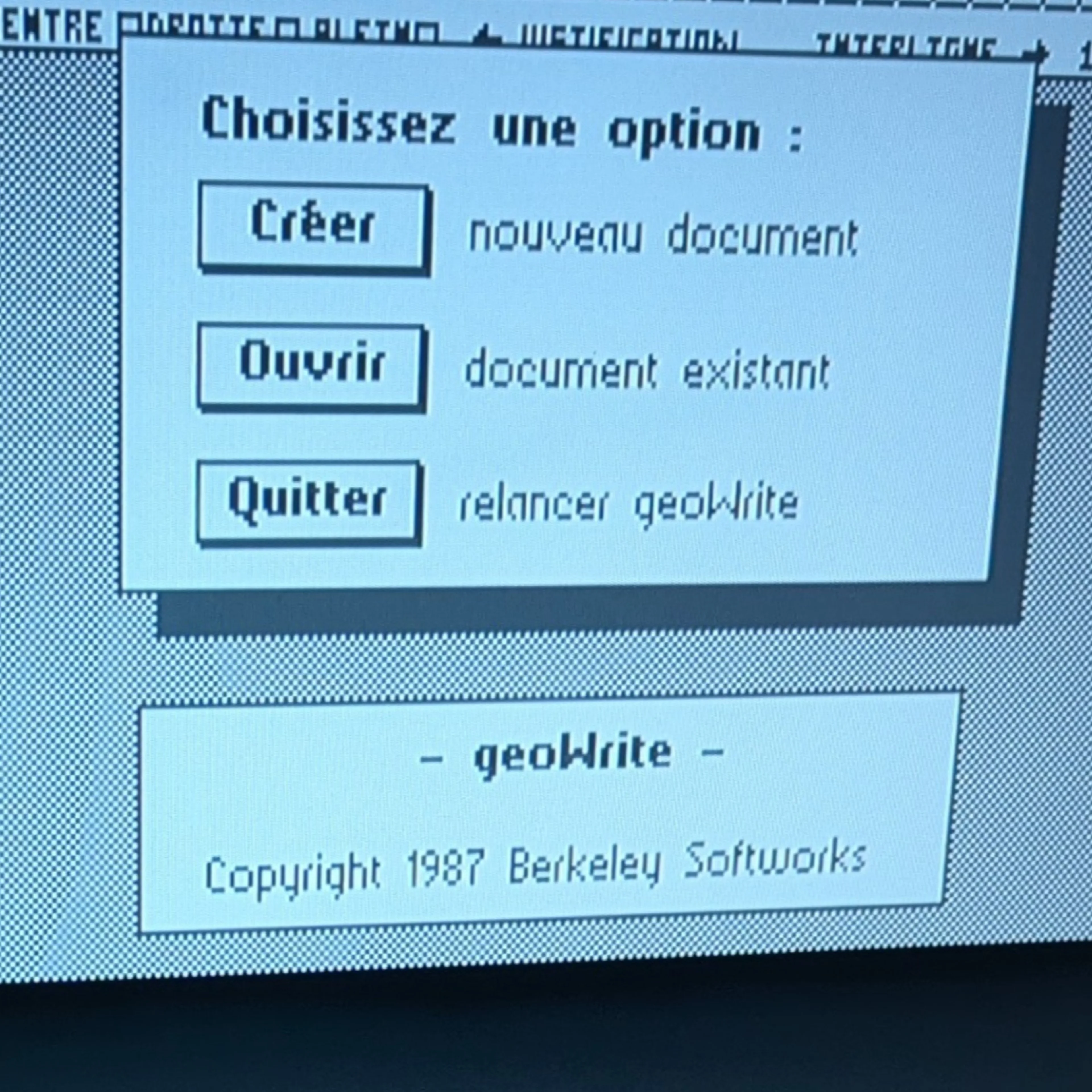
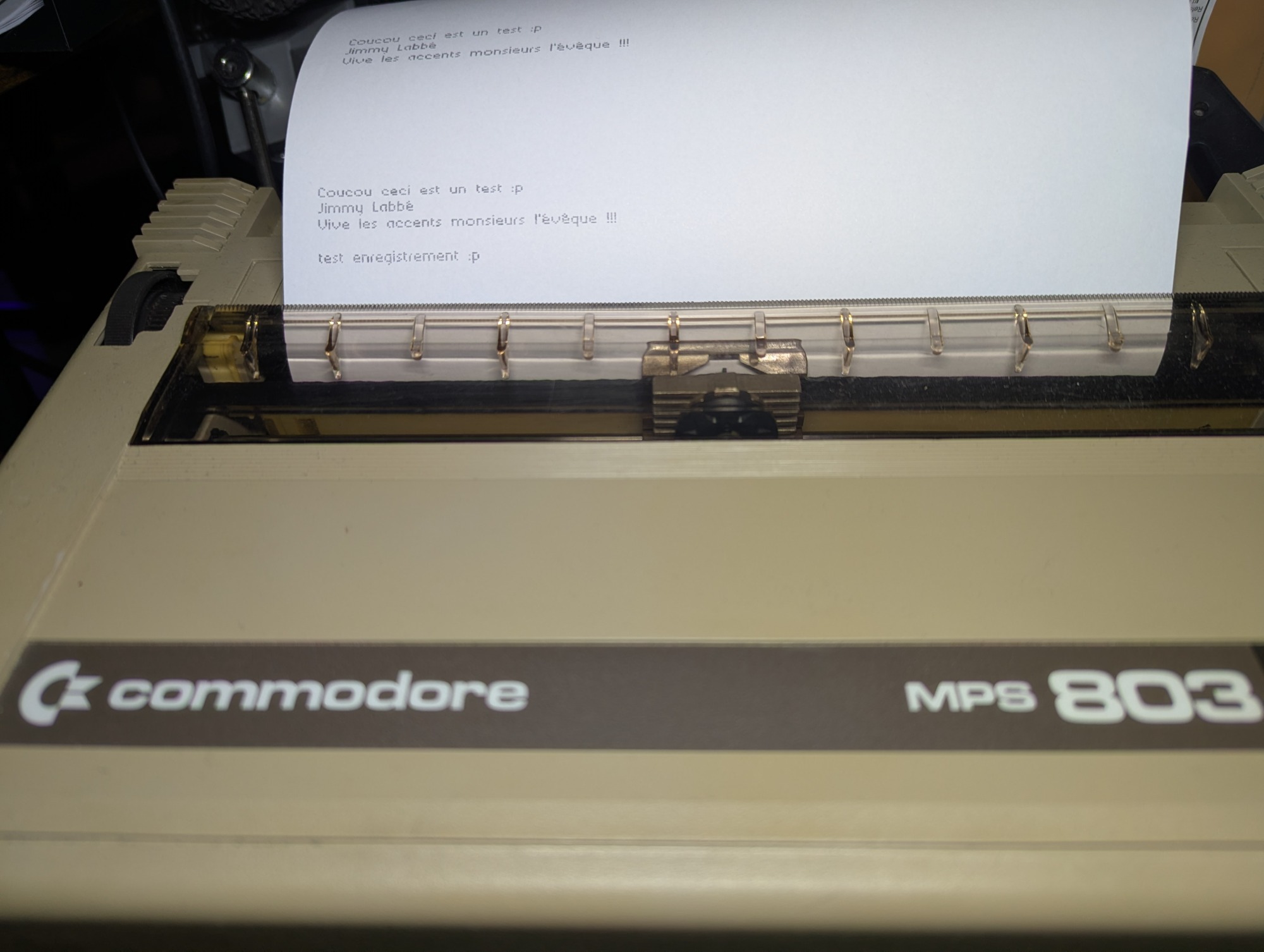
GEOS 2.0 and geoWrite 2.1 on my Commodore 64 Ultimate, with the USB mouse, my old MPS-803 printer, and every accent where it belongs.
I own a Commodore 64 Ultimate Founders Edition, and I wanted to write new software for it from my Mac. The first real project picked itself: take geoWrite, the word processor that came with GEOS in the 1980s, and bring it up to date. My goals were simple to state. It had to be in French, with accents. It had to work with the mouse and with the Commodore MPS-803 printer sitting next to my machine. And it had to start from one file, without a GEOS boot disk and without the deskTop.
Standing on very good shoulders
None of this would exist without Michael Steil and Maciej Witkowiak. They reverse-engineered the GEOS 2.0 KERNAL and geoWrite 2.1 into commented, reorganised source code that still rebuilds the original binaries. Their repositories, mist64/geos and mist64/geowrite, are the base of the whole project. Everything I changed sits on top of them as a set of patches.
What it does now
Boots straight into geoWrite from an EasyFlash cartridge image. No deskTop, no system disk.
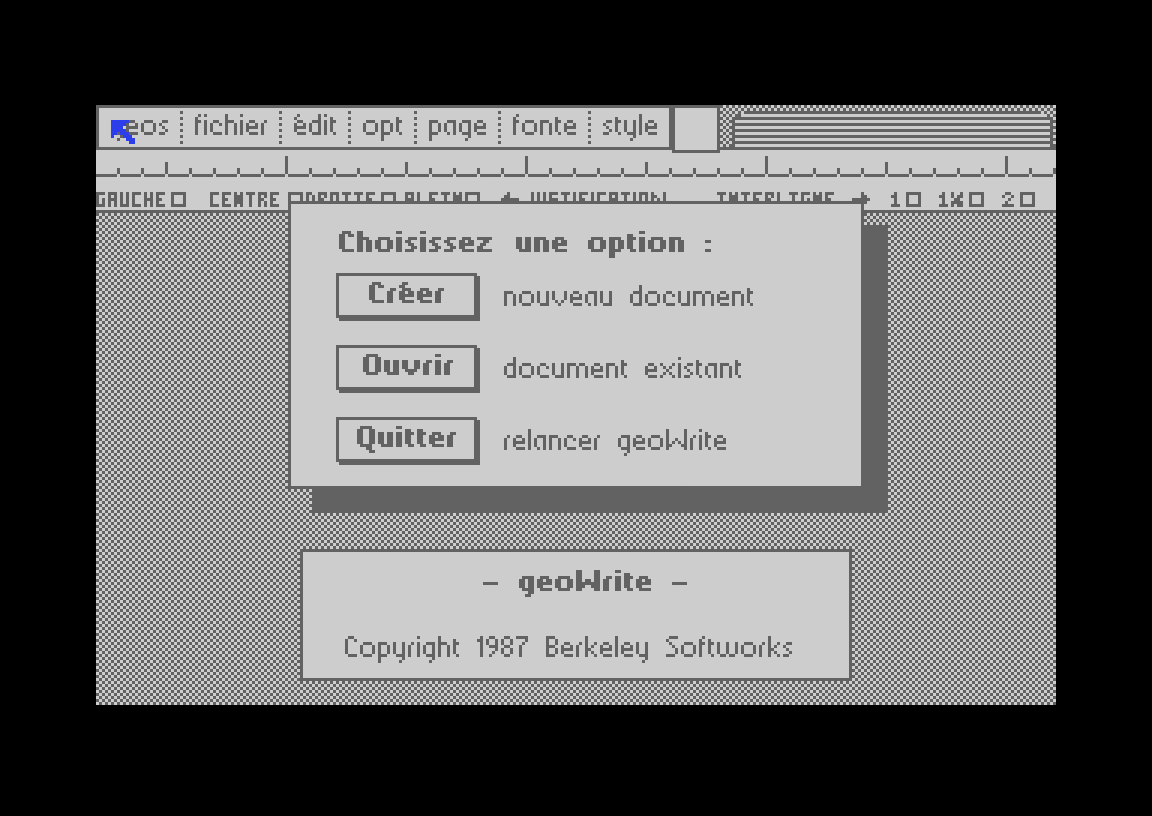
French everywhere: menus, dialog boxes, buttons, the ruler, even the month names in headers.
Accents on screen, in your documents and on paper: é è à ç ê ù ô î.
1351 mouse on port 1. The C64 Ultimate presents a USB mouse as a 1351, so GEOS's original driver just works.
A Commodore MPS-803 / MPS-801 printer driver in graphics mode, so fonts and pictures print exactly as they look on screen.
Short notes stay short: after the last line, the paper advances just enough to tear it off, instead of feeding a whole page. Multi-page documents still get proper page breaks.
Your documents stay on drive 8, on a real disk or a mounted
.d64image.
Download link:
geowrite fr.crt
Using it
Put the
.crton your SD card.Mount a GEOS-formatted
.d64on drive 8 for your documents.Start the cartridge.
If no disk is there, geoWrite simply asks you to insert one. The printer goes on the serial bus as device 4. In the print dialog, choose Haute (high quality): the faster mode uses the printer's own character set, which has no accents.
GEOS already had key combinations for a handful of rarely used symbols. I redrew those glyphs as French accents, so typing them needs no new keyboard code:
Accent | Keys |
|---|---|
é |
|
è |
|
à |
|
ç |
|
ô |
|
ê |
|
ù |
|
î |
|
The price is that { | } ~ [ ] \ ^ are gone from the system font. For a French word processor, that is a trade I am happy with.
Under the hood
The cartridge. Bank 0 of the EasyFlash image boots the machine, copies the 45 KB GEOS KERNAL into RAM and leaves a 60-byte routine at $0340 that can read from the cartridge.
A disk track that does not exist. geoWrite loads its program code in pieces, from disk, while you work. Rather than rewrite all of that, I gave the 1541 disk driver a virtual track 36. When GEOS asks for a sector on that track, the driver reads it from the cartridge instead of the drive. geoWrite and the printer driver live there as ordinary GEOS files, and their directory is appended to the real disk's directory. geoWrite itself barely changed: as far as it knows, it is still reading from a floppy.
The printer driver. GEOS hands a printer driver 8 rows of pixels at a time. The MPS-803 head has 7 pins. So the driver keeps leftover rows in a buffer and prints in passes of 7, at 480 dots per line and 9 passes per inch. The tear-off feature is a small piece of bookkeeping: at the end of a page the driver only advances a few passes, and it adds the rest of the page feed only if another page follows.
The translation. The French menu bar had to fit in exactly 191 pixels, the width of the English one, otherwise the page counter and filename box would move. That is why the menus read fichier, édit, opt, page, fonte, style. A small script holds every translation, checks that each English string really exists in the source, and measures each line against the width of a dialog box. Some code modules had only 4 bytes to spare out of 4,000, so a few messages became shorter than I would have liked. The buttons (Créer, Ouvrir, Annuler…) and the ruler (GAUCHE, CENTRE, DROITE) are bitmaps, so a second script redraws them in GEOS's own compressed bitmap format.
Three bugs worth remembering
The truncated file. The first build crashed with "System error near $8003" the moment I clicked Print. The driver code was fine. VICE's c1541 tool had written only the first of the four sectors of the driver file to the disk image, so the C64 executed zeros. I replaced that step with my own small .d64 writer, and the build now reads every file back and compares it with what it should contain.
The RS-232 flag. The first cartridge boot froze forever inside the C64's own ROM. My boot code used $0200–$02FF as a scratch buffer, which overwrote a KERNAL variable at $02A1 that says whether RS-232 is busy. The ROM then waited for an RS-232 transfer that never ended. Moving the buffer to $0800 fixed it.
Reading the format backwards. GEOS bitmaps have a "BIGCOUNT" code that repeats a compressed pattern. I first read it as "repeat count, then length". The KERNAL's own decoder says it is the other way round. My new buttons came out as noise until I read that routine.
How I worked
I wrote this with Claude Code, Anthropic's AI coding assistant, running in VS Code on my Mac. The loop went like this: assemble with cc65, run the result in VICE with scripted mouse clicks and key presses, check the virtual MPS-803's output, then push the cartridge to the real machine through the C64 Ultimate's REST API and read its memory and screen back over the network. My part was the hardware: moving the real mouse, feeding paper, and deciding what geoWrite should become. Claude did most of the reading of 1980s assembly.
Where it has been tested
Setup | Status |
|---|---|
C64 Ultimate, firmware 1.1.0, at 1 MHz | Mouse, creating, saving and printing on a real MPS-803 all work |
Same machine at 64 MHz with JiffyDOS and a REU | Creating and saving work; mouse and printing still to check |
VICE 3.10 (EasyFlash, 1541, MPS-803) | Works, and serves as the automated test bench |
Original C64 with Kung Fu Flash 2 | Not tested yet |
On an original C64 you will need a real 1351 mouse (or an adapter) and a real 1541 for your documents: GEOS drives the disk drive directly, which the disk emulation in Kung Fu Flash does not support. That is the next step for me.
Source and credits
Everything is on GitHub: labbej27/geowrite-fr. Running make geowrite fetches the mist64 sources at a fixed version, applies the patches and rebuilds the cartridge byte for byte.
GEOS and geoWrite were created by Berkeley Softworks, and geoWrite was written by Tony Requist. They remain their work. This is a non-commercial hobby project made out of affection for the machine.
Edit, November 8, 2026: a joystick version
No 1351 mouse? There is now a second cartridge, geowrite-fr-joystick.crt, for a joystick in port 1 or port 2. The pointer starts slowly and speeds up while you hold the stick; fire clicks. It is GEOS's own joystick driver, changed to read port 2 as well, and still the same 378 bytes. The mouse cartridge has not changed.
geowrite fr joystick.crt
One limit remains: geoWrite needs a real drive for your documents, a 1541 or a Pi1541. A Kung Fu Flash on its own cannot emulate the drive for GEOS. For that setup, try Plume, my word processor written from scratch, which works with a Kung Fu Flash and a joystick.